Cybersecurity Basics: Common Threats and How to Protect Your Business

Every modern business depends on technology. Emails, cloud platforms, payment systems, customer records, and connected devices make daily operations easier, but they also create opportunities for cybercriminals.
Cyberattacks are no longer limited to large corporations. Small and medium-sized businesses can also become targets because they often have valuable data but fewer security resources. A single successful attack can lead to financial loss, operational disruption, reputational damage, and loss of customer trust.
Understanding the most common cyber threats is the first step towards building a safer business.
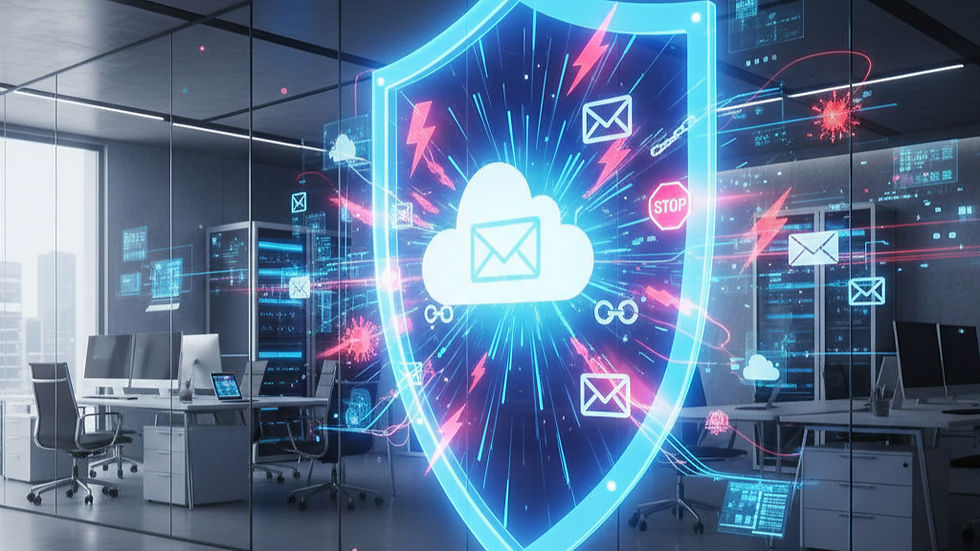
Common Cybersecurity Threats Businesses Should Know
1. Phishing Attacks
Phishing is one of the most common methods criminals use to steal sensitive information. Attackers send emails, text messages, or social-media messages that appear to come from a trusted person or organisation.
These messages may ask an employee to:
Click a malicious link
Download an infected attachment
Share a password or verification code
Make an urgent payment
Update account or banking information
Phishing messages often create urgency or fear so that the recipient acts before checking whether the request is genuine.
2. Ransomware
Ransomware is malicious software that encrypts files or blocks access to business systems. The attackers then demand payment to restore access.
A ransomware attack can prevent employees from accessing customer records, financial information, emails, applications, or operational systems. Even when a ransom is paid, there is no guarantee that the information will be recovered or that stolen data will not be exposed.
3. Malware
Malware is software designed to damage systems, steal information, or give criminals unauthorised access. It can enter a network through unsafe downloads, infected email attachments, compromised websites, removable devices, or outdated applications.
Once installed, malware may monitor activity, collect passwords, delete files, or spread to other devices connected to the network.
4. Weak or Stolen Passwords
Short, predictable, and reused passwords make it easier for attackers to access business accounts. If employees use the same password across multiple platforms, one compromised account could provide criminals with access to several systems.
Passwords can also be stolen through phishing, malware, or data leaks from third-party services.
5. Unpatched Software
Software vulnerabilities are weaknesses that attackers can exploit. When operating systems, applications, plugins, and connected devices are not updated, known security gaps may remain open.
Installing security updates promptly helps close these vulnerabilities before attackers can take advantage of them.
6. Insider Threats and Human Error
Not every security incident begins with an external hacker. Employees, contractors, or business partners may accidentally expose information by:
Sending data to the wrong recipient
Using unsecured networks
Sharing login details
Misconfiguring cloud storage
Losing a company device
Falling for a fraudulent request
In some cases, an authorised user may also intentionally misuse their access. Businesses therefore need both technical controls and clear security policies.
7. Supply-Chain and Third-Party Risks
Businesses often share systems or information with vendors, software providers, and other partners. If one of these third parties is compromised, attackers may use that relationship to reach additional organisations.
Your cybersecurity is therefore affected not only by your own security practices but also by the security of the companies connected to you.
Practical Ways to Protect Your Business
Use Strong, Unique Passwords
Every important account should have a long, unique password. A trusted password manager can help employees create and securely store complex passwords without reusing them.
Enable Multi-Factor Authentication
Multi-factor authentication adds an extra verification step after a password is entered. This could be an authentication-app code, security key, or biometric check.
It significantly improves account protection because a stolen password alone may not be enough to access the account.
Keep Software and Devices Updated
Enable automatic updates wherever possible. Regularly update computers, mobile devices, servers, websites, business applications, routers, and security tools.
The US Cybersecurity and Infrastructure Security Agency recommends prompt software updates, strong passwords, multi-factor authentication, and recognising phishing as essential steps for improving online security. Learn more from CISA.
Back Up Important Business Data
Maintain regular backups of critical files, databases, and systems. At least one backup should be securely separated from the main network so that it cannot easily be affected by ransomware.
Backups should also be tested periodically. A backup is only useful if the business can restore it successfully when needed.
Control Access to Sensitive Information
Employees should only have access to the systems and information required for their roles. Administrator privileges should be restricted and reviewed regularly.
When an employee or contractor leaves the organisation, their access should be removed immediately.
Train Employees
Employees are an important part of a company’s cyber defence. Regular awareness training can help them recognise suspicious links, unusual payment requests, fake login pages, and other social-engineering tactics.
Staff should also know how and where to report a suspicious message or possible security incident.
Secure Networks and Devices
Businesses should use properly configured firewalls, endpoint protection, email security, encryption, and secure Wi-Fi networks. Remote access should be protected with strong authentication and appropriate security controls.
Prepare an Incident-Response Plan
No security solution can promise that an attack will never happen. Businesses should have a clear plan explaining:
Who must be contacted
How affected systems will be isolated
How customers and stakeholders will be informed
How operations will continue
How data and systems will be recovered
How the incident will be investigated
Preparing these steps in advance can reduce confusion, downtime, and damage during a real emergency.
Moving from Basic Protection to Proactive Cybersecurity
Basic precautions are essential, but growing organisations often need greater visibility into their digital environment. Attackers may quietly examine exposed systems, compromised credentials, cloud applications, APIs, and third-party connections before launching a larger attack.
Proactive cybersecurity helps businesses identify these weaknesses earlier. It combines continuous monitoring, threat intelligence, attack-surface visibility, risk management, and response planning to reduce the opportunity available to attackers.
How Forefront Technology Can Help
Forefront Technology helps organisations strengthen their security before a vulnerability becomes a serious breach.
Powered by Pinochle.ai, our cybersecurity capabilities provide continuous threat intelligence, attack-surface visibility, and compliance assurance. This helps businesses better understand their exposure, identify potential risks, and respond before threats grow into larger attacks.
Our cybersecurity support can help organisations with:
Identifying exposed systems and security weaknesses
Monitoring the evolving external threat landscape
Improving visibility across the business attack surface
Assessing cyber risks and prioritising remediation
Strengthening security infrastructure and cyber defence
Protecting APIs and sensitive business data
Detecting possible data exposure
Supporting compliance and security assurance
Improving preparedness for cyber incidents
Rather than relying only on reactive protection, Forefront Technology supports a more proactive approach, helping businesses discover risk earlier and make informed security decisions.
Do Not Wait for an Attack to Reveal Your Weaknesses
Cybersecurity is not a one-time installation or checklist. It requires ongoing awareness, monitoring, improvement, and preparation.
Simple measures such as strong passwords, multi-factor authentication, employee training, regular updates, controlled access, and reliable backups can prevent many common incidents. For protection against more advanced and larger-scale attacks, businesses need continuous visibility and a cybersecurity strategy suited to their systems and risks.
Contact Forefront Technology today to assess your organisation’s cybersecurity exposure and learn how we can help protect your business from evolving threats.


Comments